Tags: Customers, predetermine, payment method, catalog
Lesson ID-104.4
Updated to 28/11/2025
Lesson objective
That the user knows how to predetermine a customer's payment method.
To perform this action, you must first log into the system as indicated in lesson ID-101.1.
Set default payment method
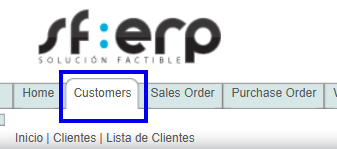
Enter the "Customers" module to begin the process.
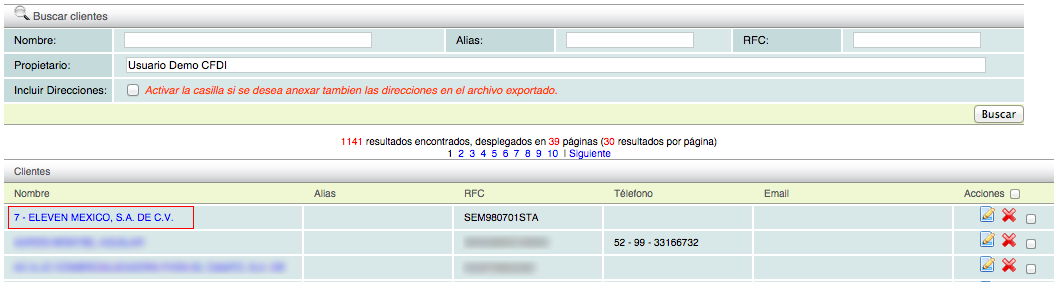
Once inside the module, you will be able to view the customer catalog, that is, the list of customers you have registered in the system. Select the customer whose payment method you wish to default by clicking on their name.
The summary of information for the selected customer will be displayed; go to the "Invoicing" tab.

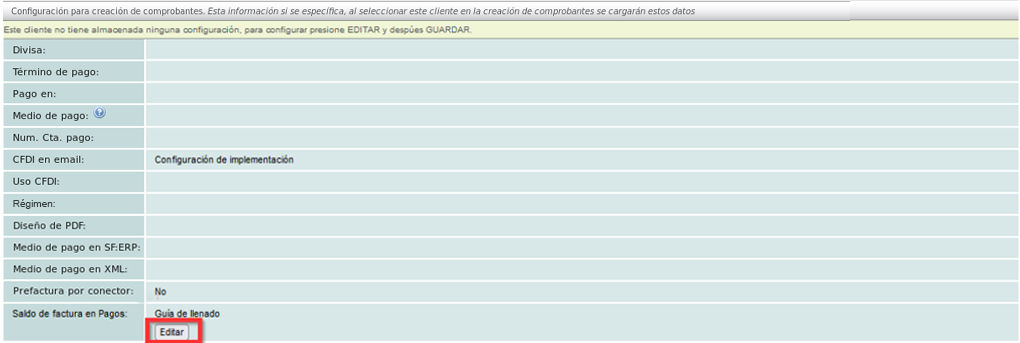
The receipts you have generated will be displayed. At the bottom of the screen, you will find the sections to configure your payment method. Click the "Editar" button.
Select your preferred "Método de pago".
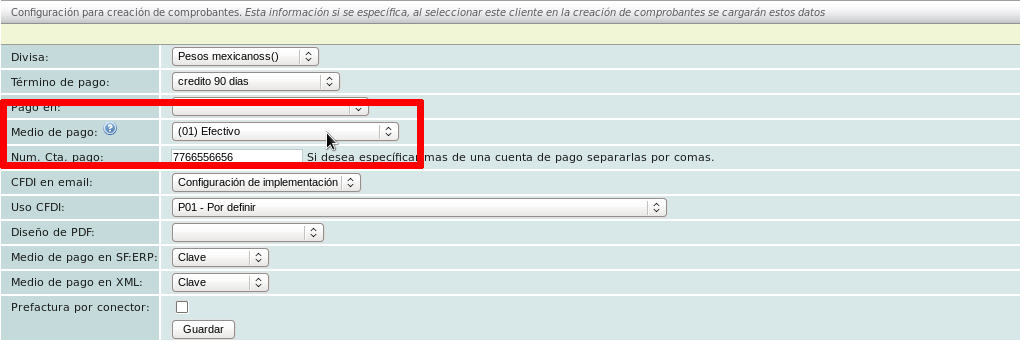
Enter the payment account number information (optional).
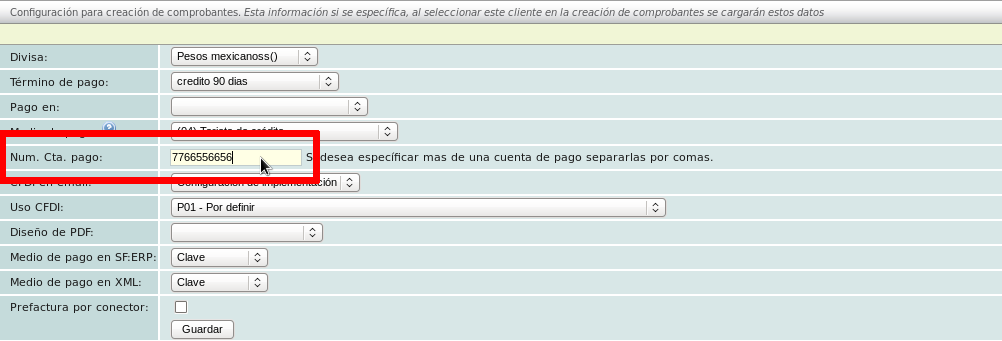
Click the "Guardar" button to complete this action.
If you need to set this information as the default for more clients, follow the process described above.
Note: If you create e-documents using a connector and predetermine the data described above, that data will be mandatory.
